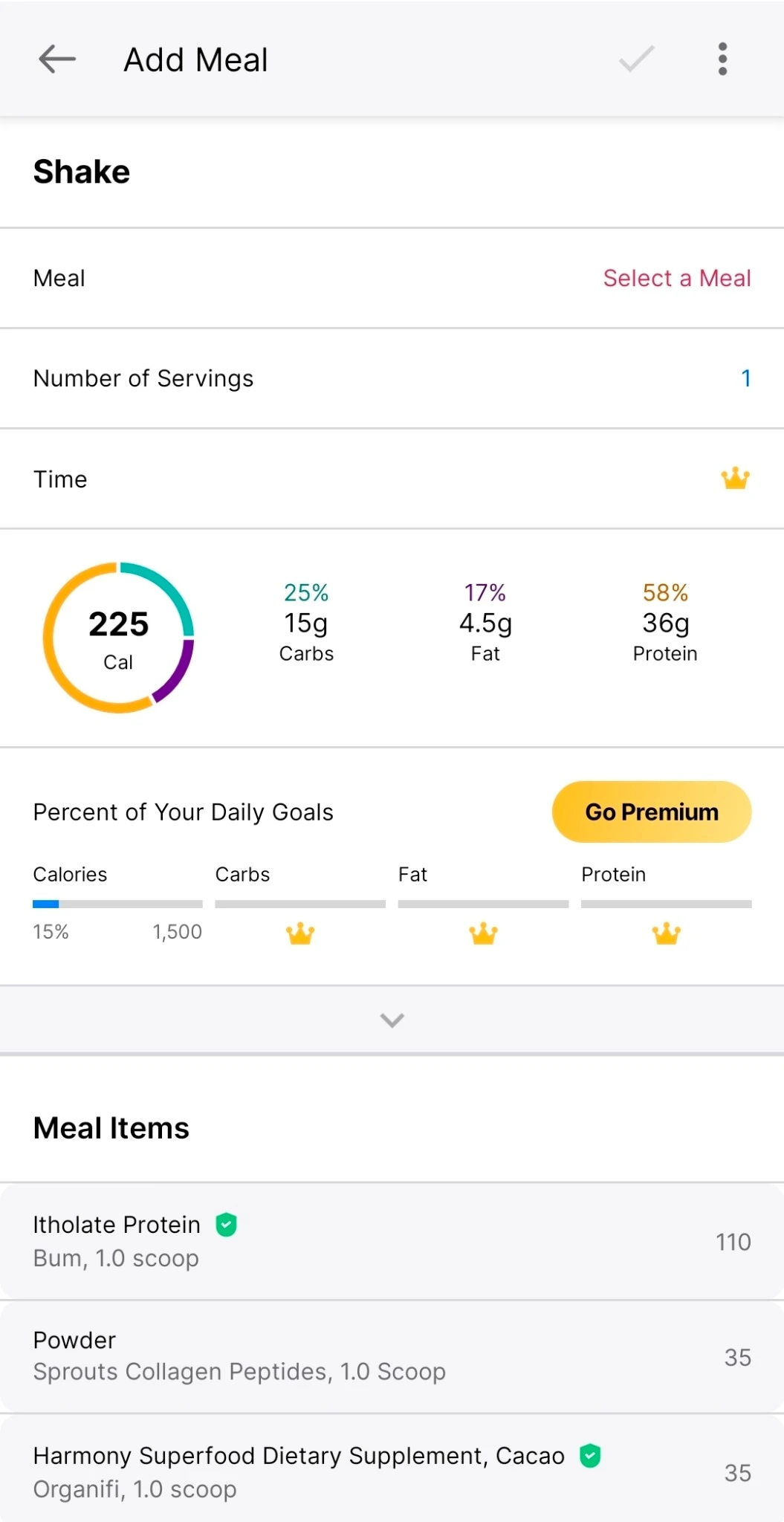
Upsells during logging
Basic nutrition and portion controls are interrupted by constant upgrade prompts.
 Katrina DoneganDesigner & Artist
Dashboard & interaction design
A daily tracking tool shaped around how I actually plan, log, and adjust my meals.
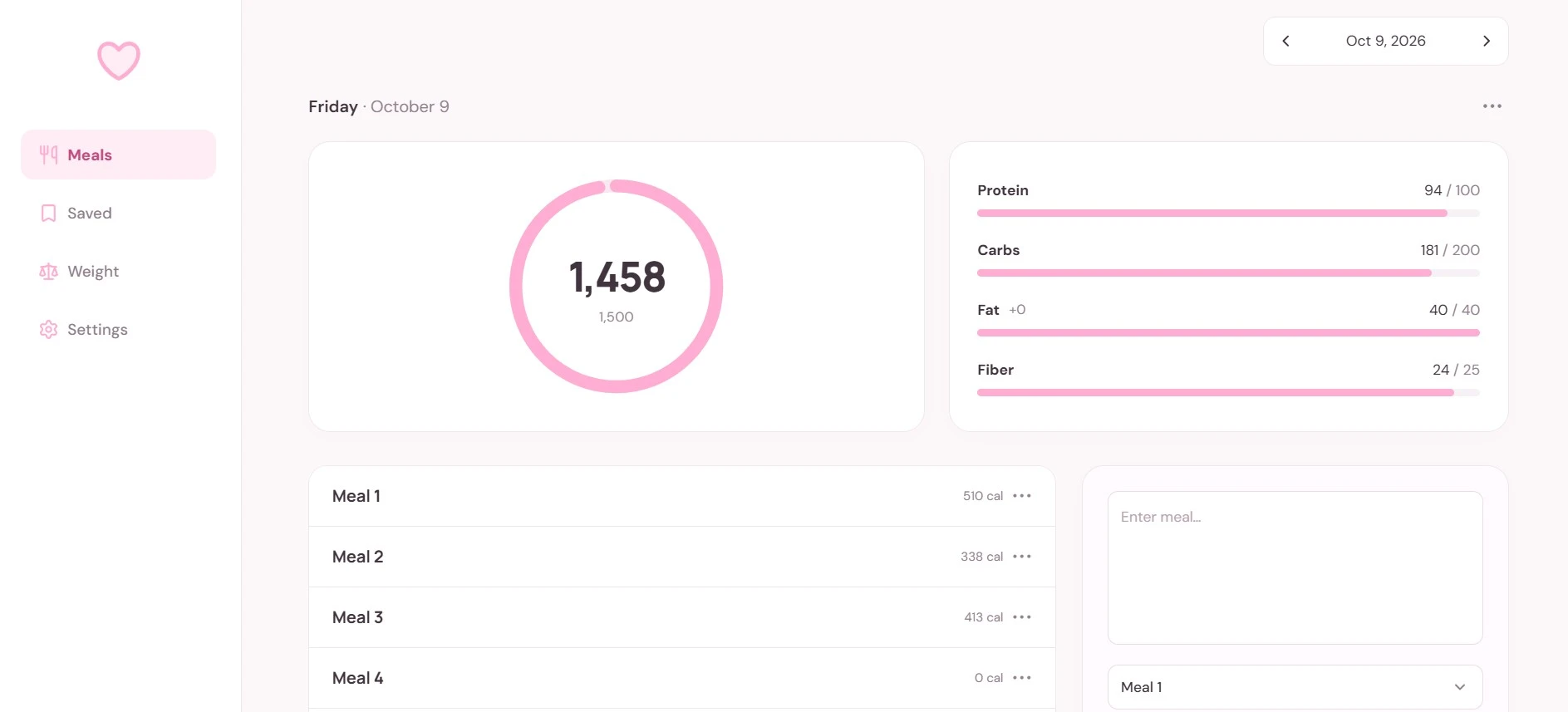
Over 3 years, I’ve lost 80 lbs through consistent gym time, routines, and meal tracking. MyFitnessPal’s ads, upsells, and extra features made a daily habit feel stressful. I wanted a tool built around what I actually use.
MyFitnessPal is one of the most widely used food trackers, and it was the tracker I used for years. But being popular doesn’t mean it has everything I need. Ads, upgrade prompts, and clutter kept getting in the way of something I wanted to do every day.
Basic nutrition and portion controls are interrupted by constant upgrade prompts.
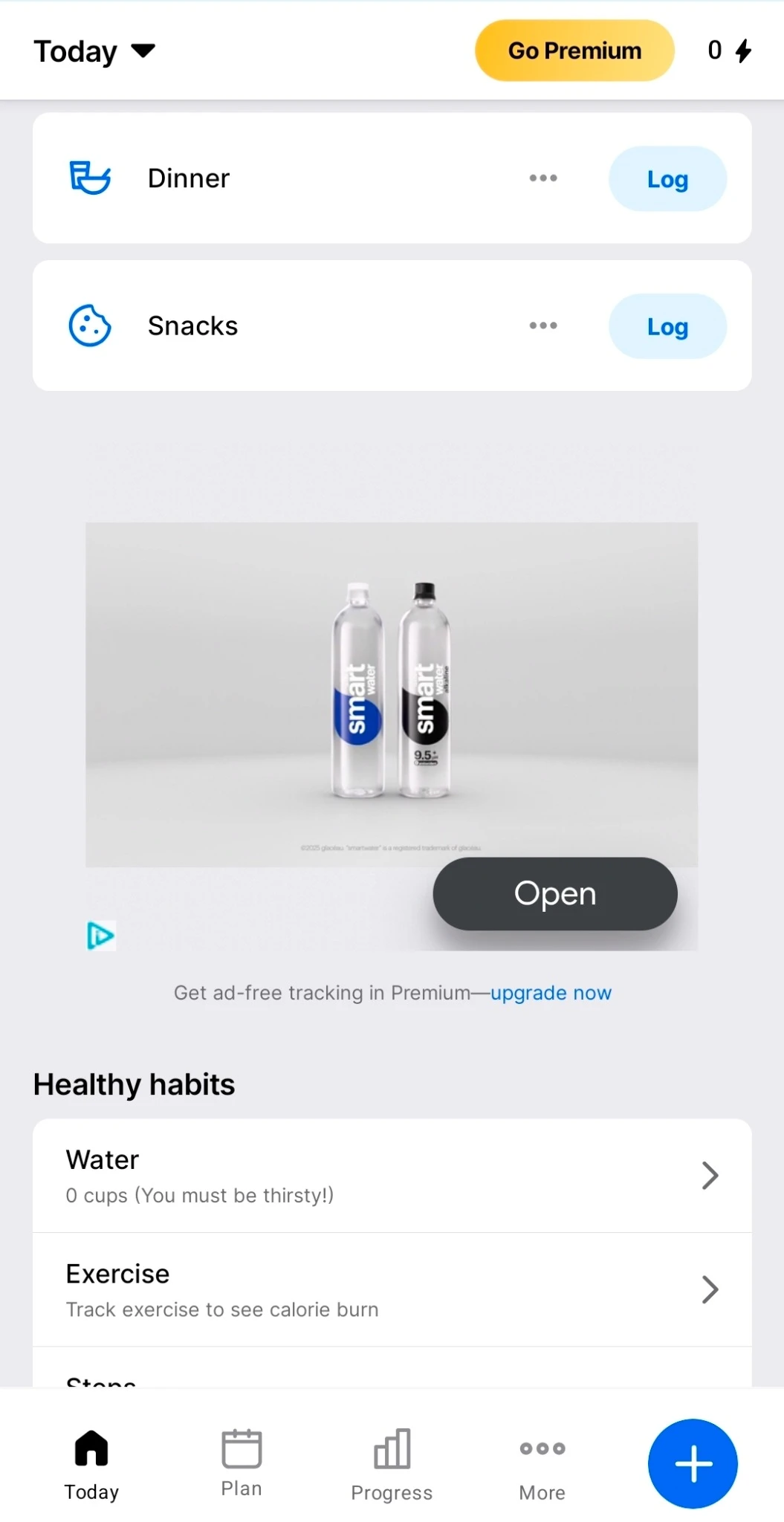
I have to scroll past promotions just to check my meals and daily totals.
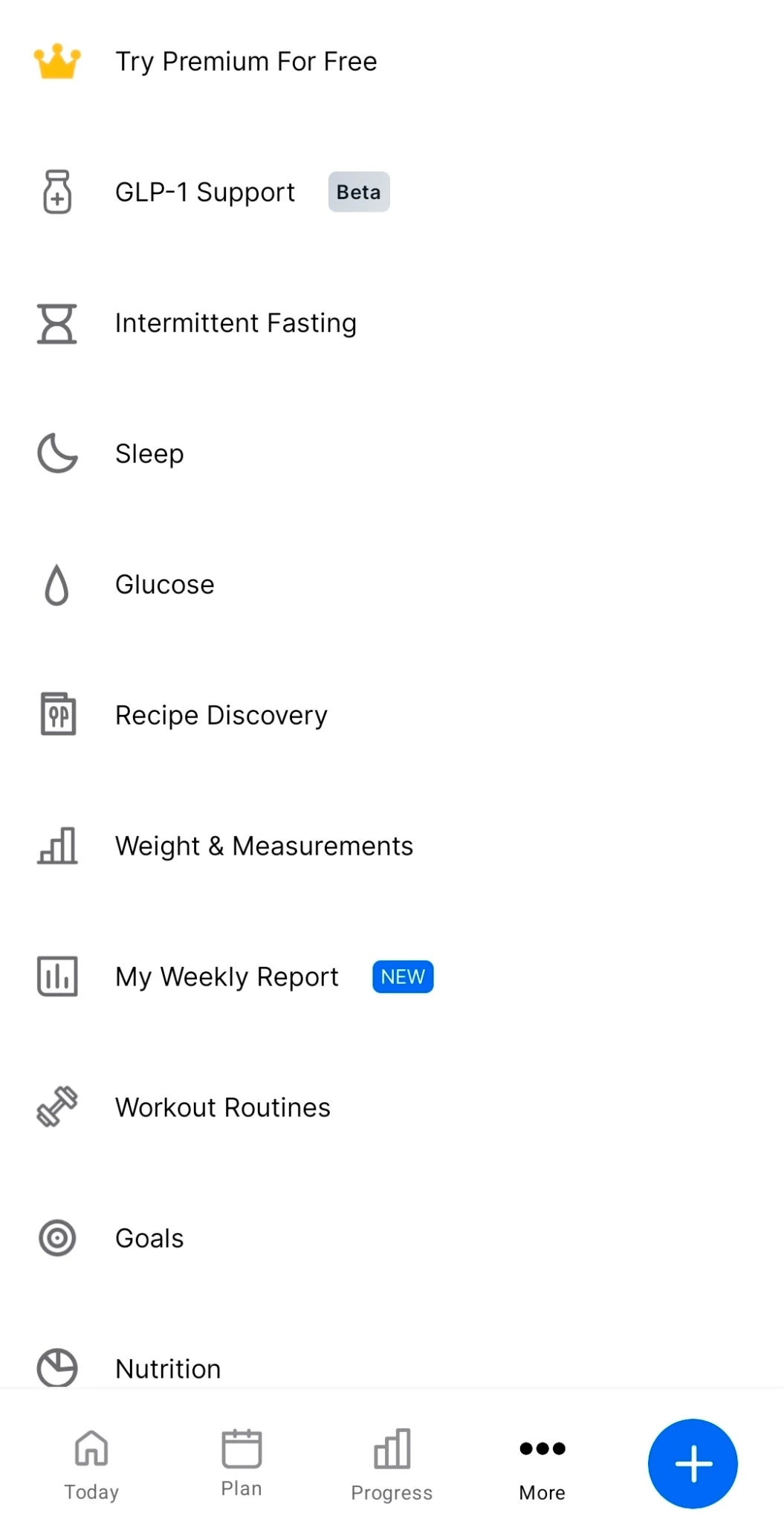
There’s too much extra mumbo jumbo between me and the few things I actually need.
I defined the scope, hierarchy, and interactions. ChatGPT helped implement them, and I evaluated each version to refine how the experience worked in daily use.
“Let me adjust servings in 0.5 increments and scale calories and macros accordingly.”
I made sure portion changes kept calories and macros in sync at the level of control I wanted.

“Let me save foods and meals, then reuse them or duplicate an entire day.”
I designed saved foods, reusable meals, and day duplication to make logging the foods I eat regularly much faster.
“Show weekly weight loss on the weight page so I can follow my progress over time.”
I extended the experience beyond daily logging to the progress I wanted to follow in the years to come.
Pink is my favorite color. I wanted to open something happy each morning, without feeling stressed about logging food.
Soft colors, rounded cards, and white space keep my experience calm and joyful. Calories come first, with macros and fiber supporting the daily view. Expandable meals reveal details only when I need them.
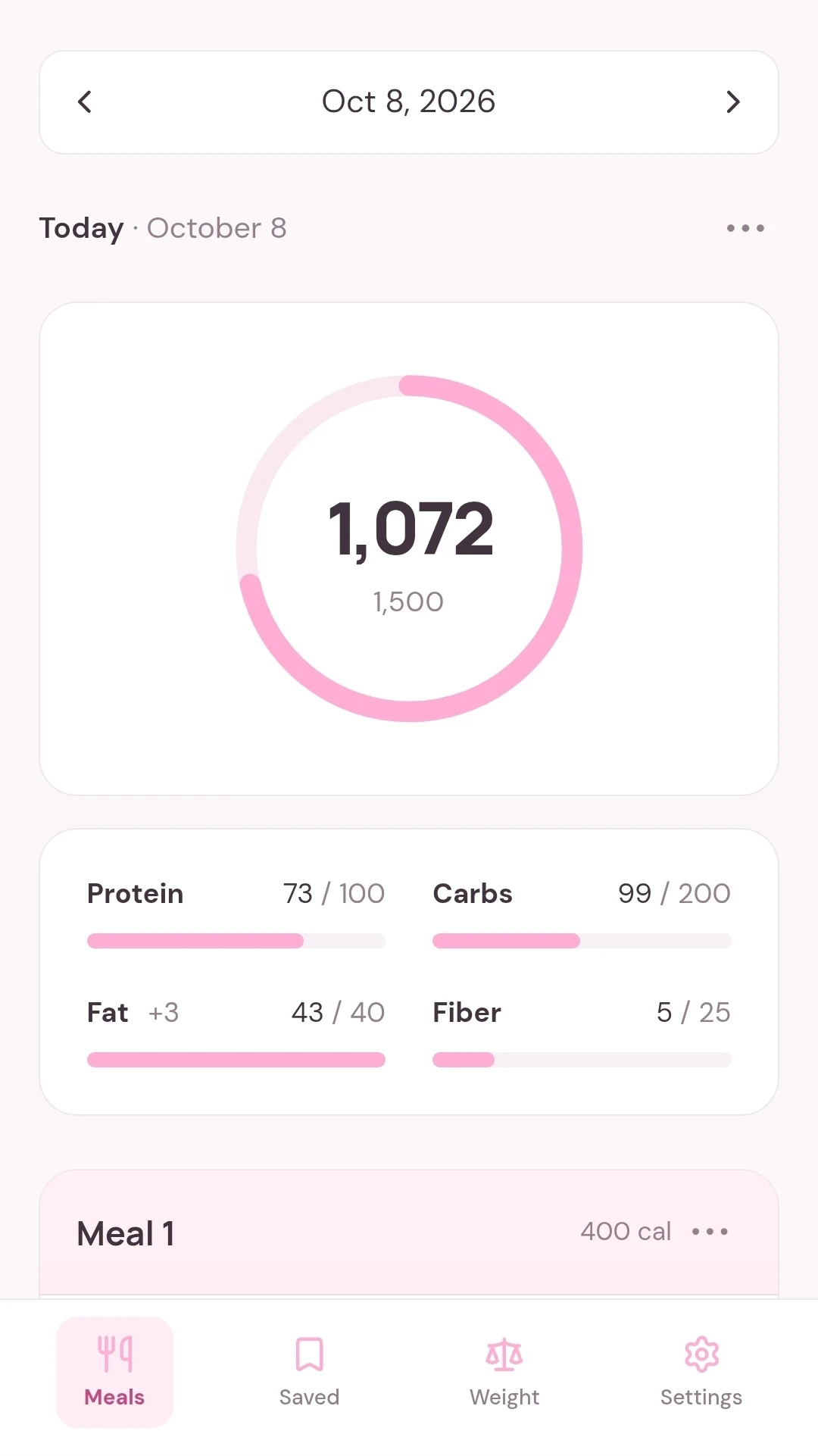
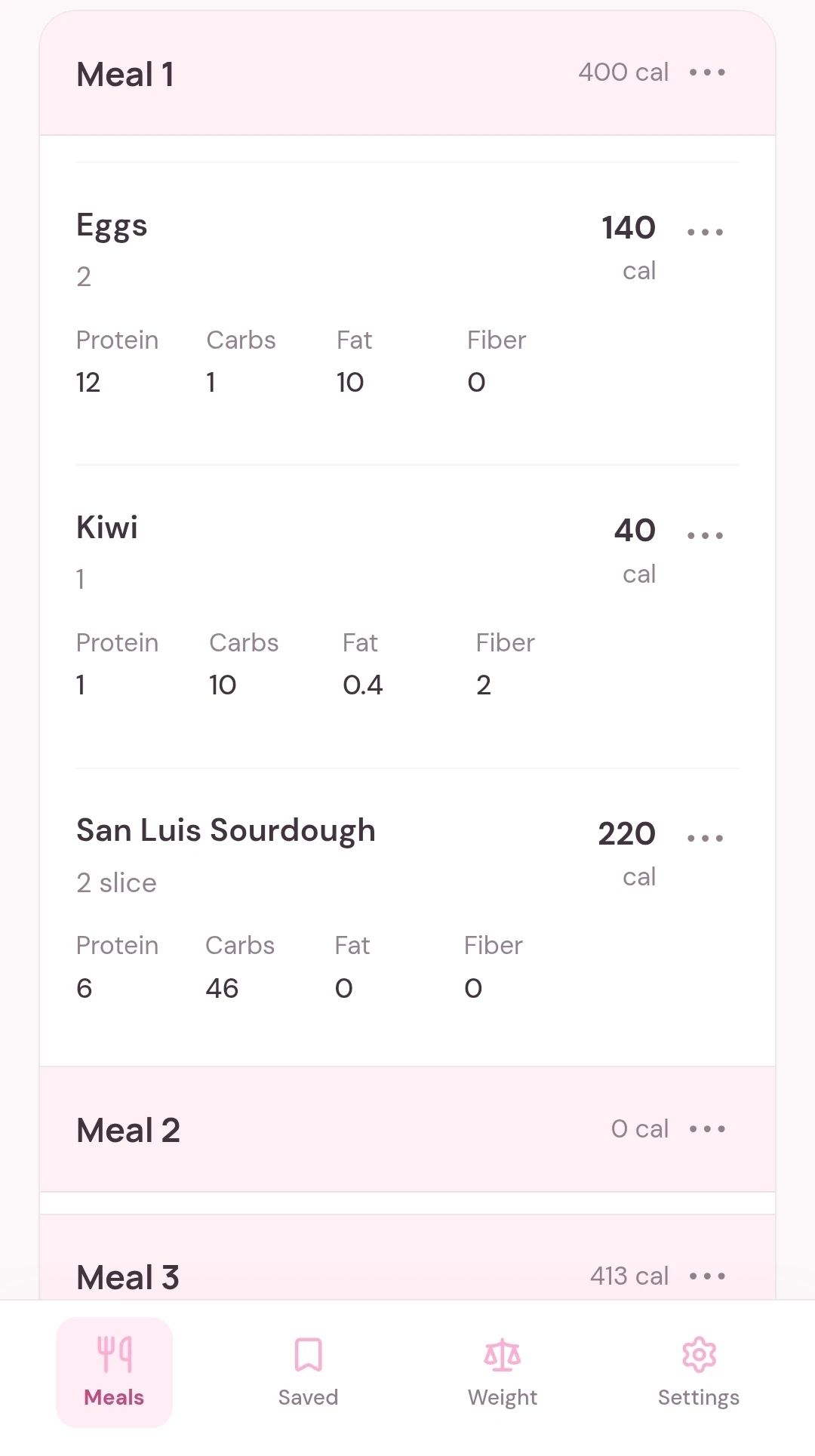
I choose a day, send ChatGPT a photo of my food, and paste the nutrition estimate into my app. That skips the tedious process of searching a database, checking brands, and sorting through the results.
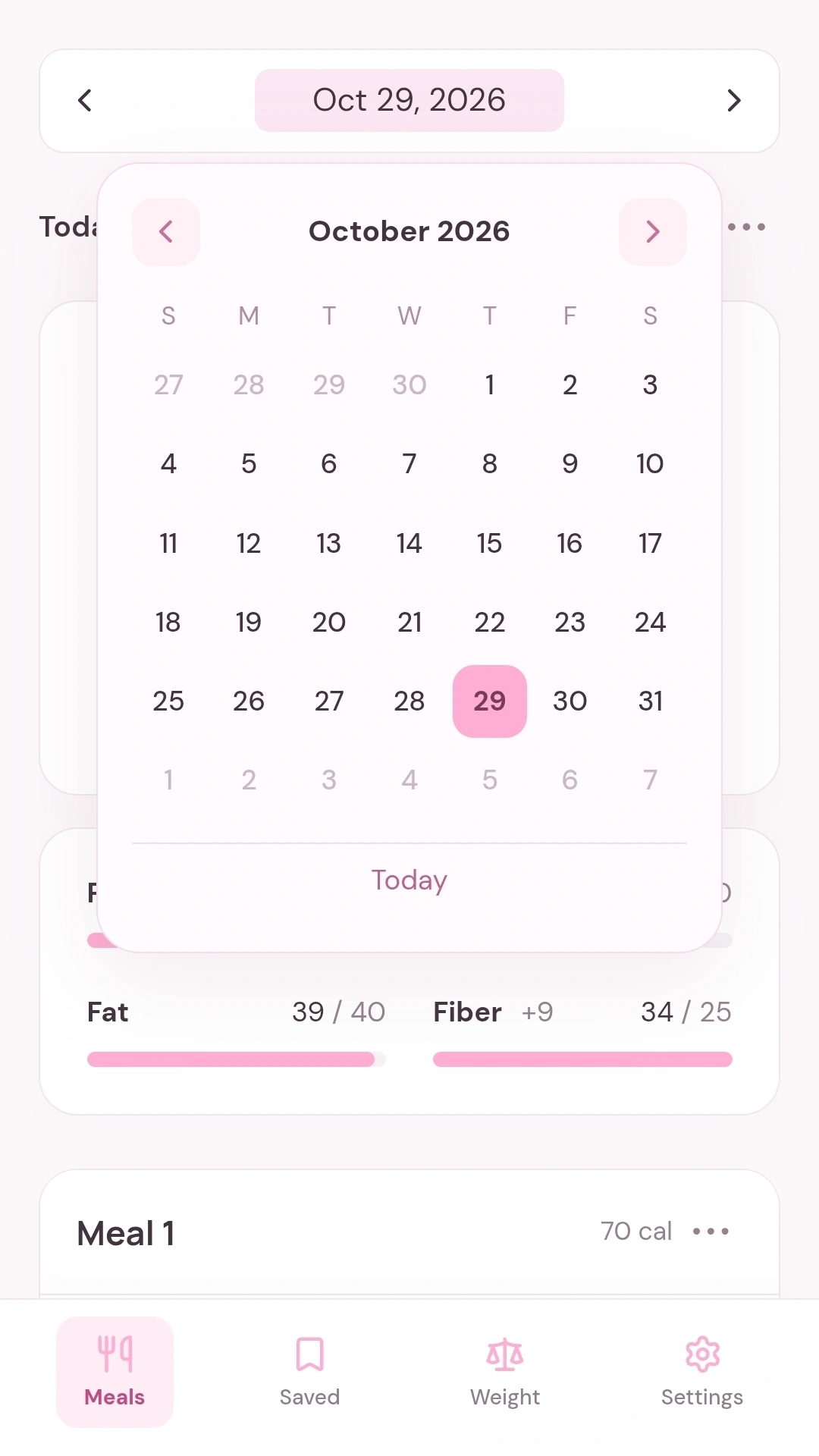
Today is ready when I open the app. I can use the calendar to revisit another day.
I send ChatGPT a photo of my food or its label and tell it the amount.
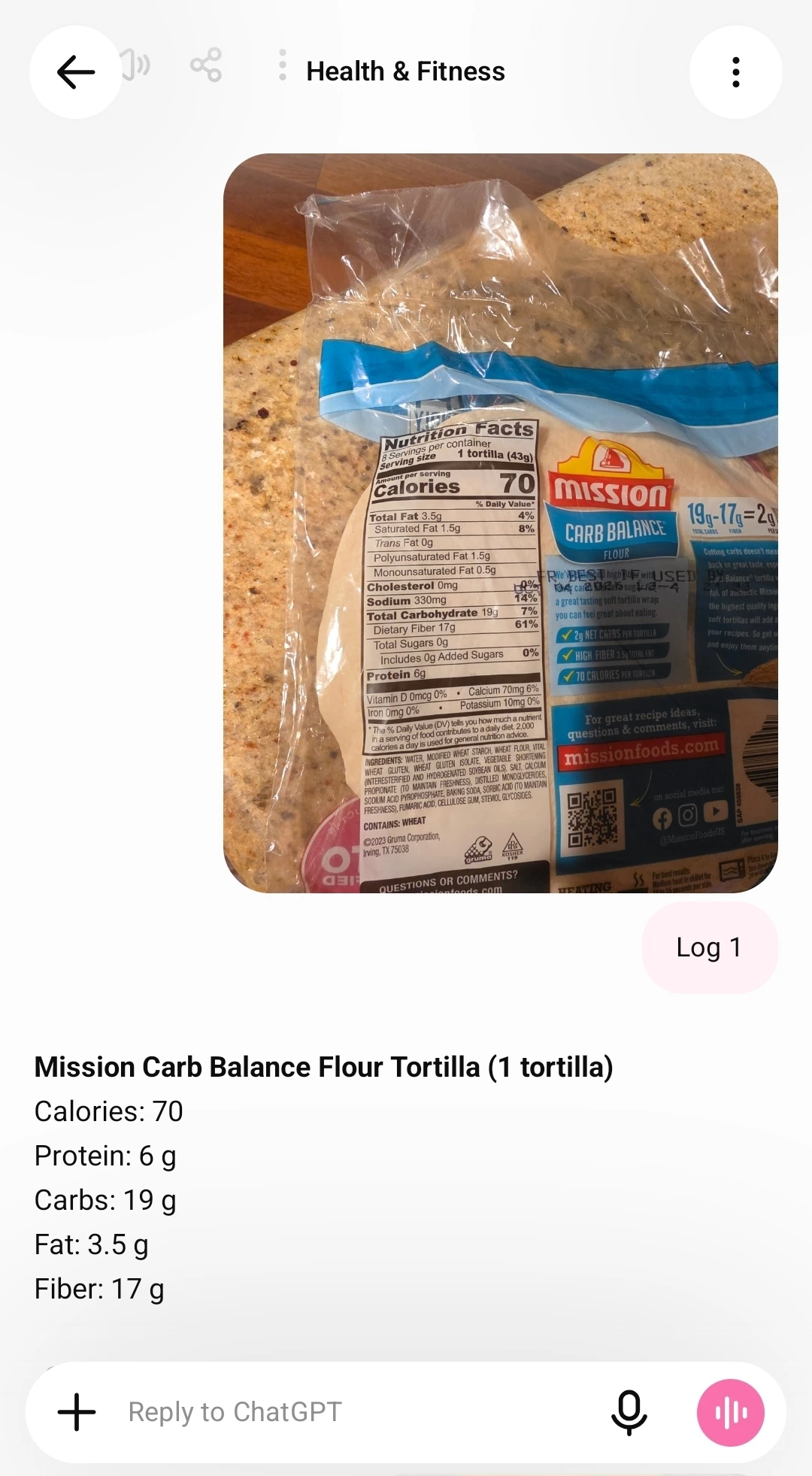
I copy the nutrition estimate, paste it into the entry field, and select a meal.
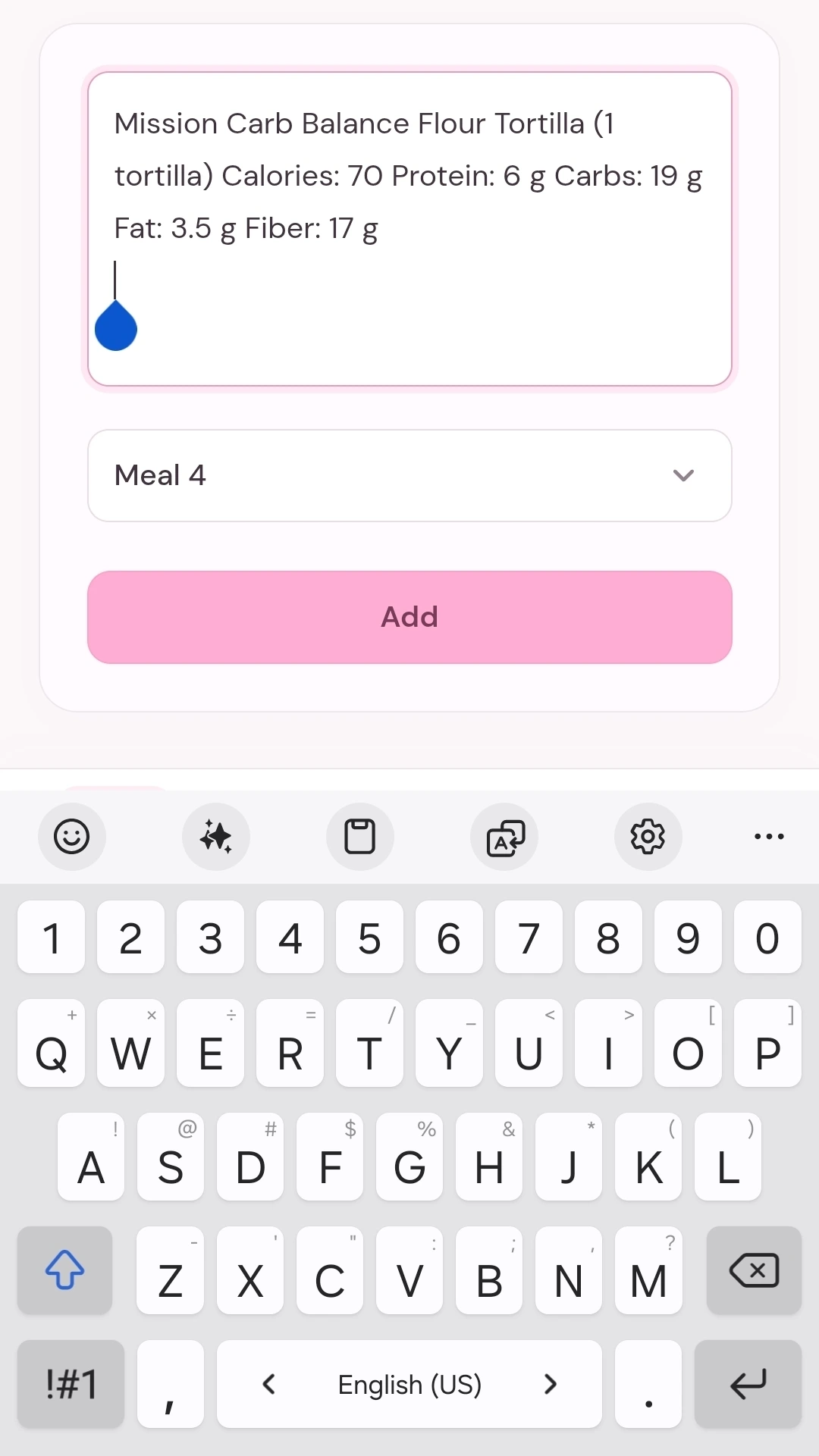
The app parses the food name, calories, and nutrients into an entry I can review and adjust.
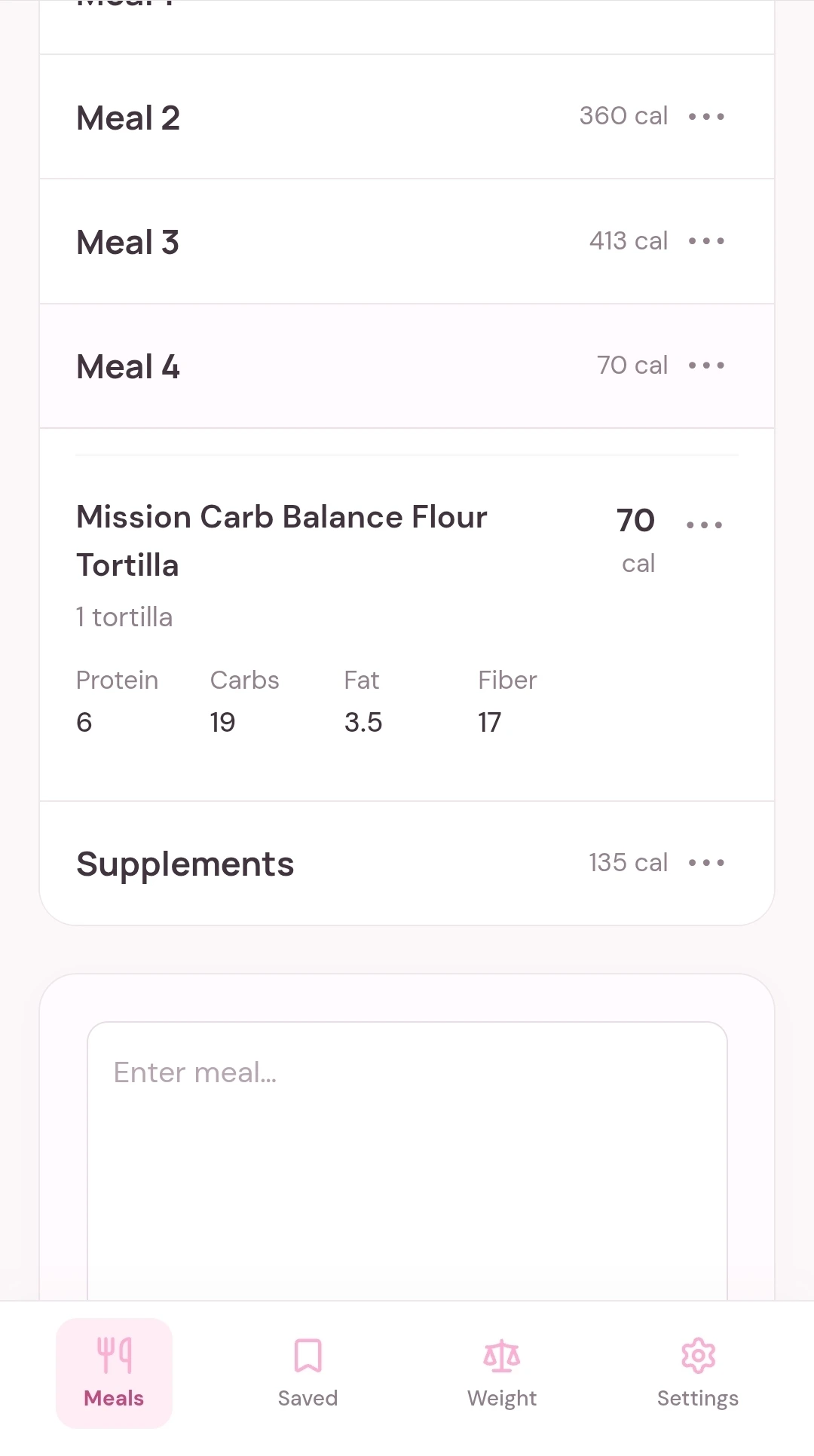
Daily logging is only part of my routine. I also wanted an easy way to reuse meals and follow my progress over time.
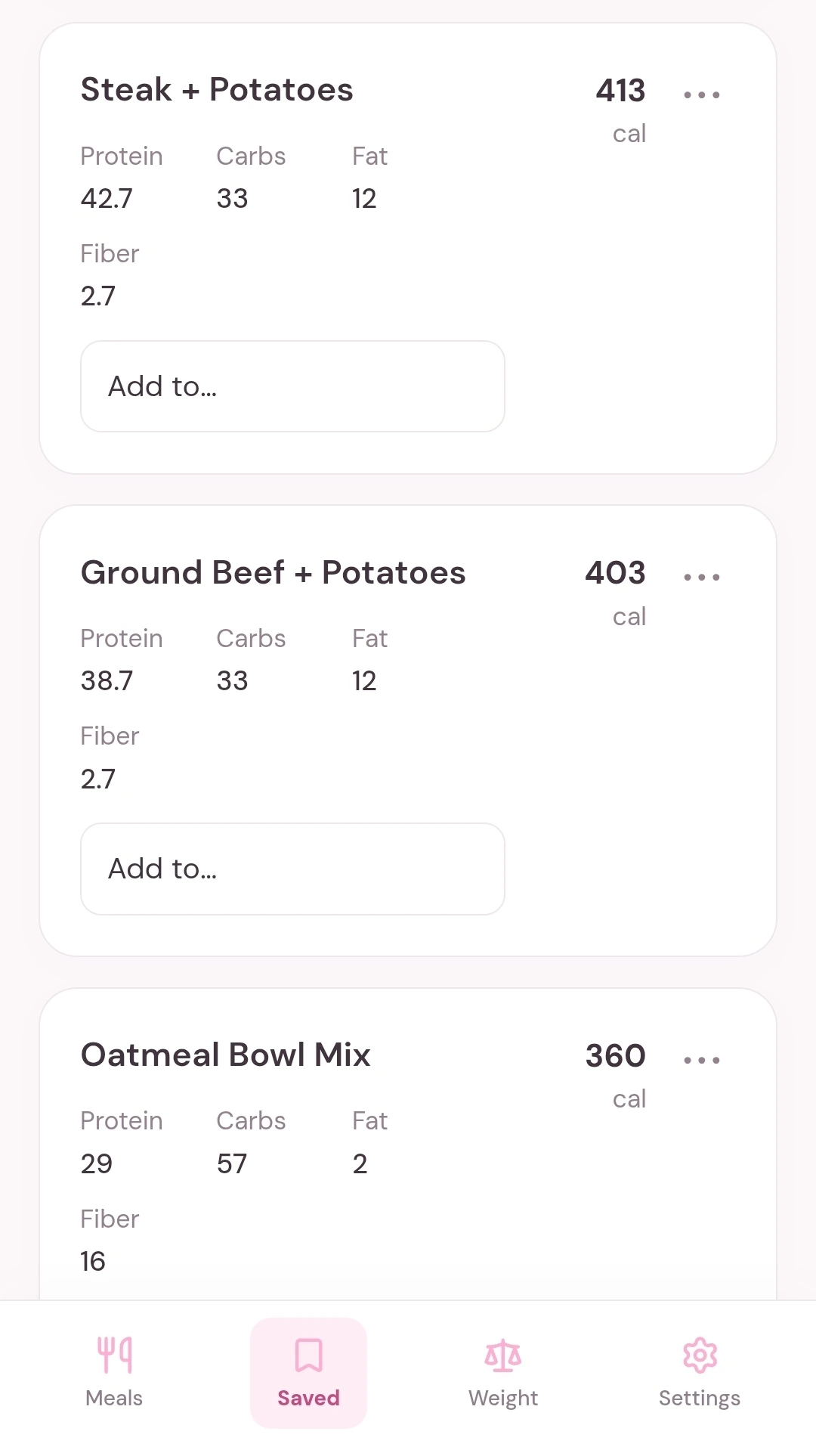
The Saved page keeps my regular meals together, with calories and macros visible before I add them to a day. I don’t need to enter the same ingredients every time.
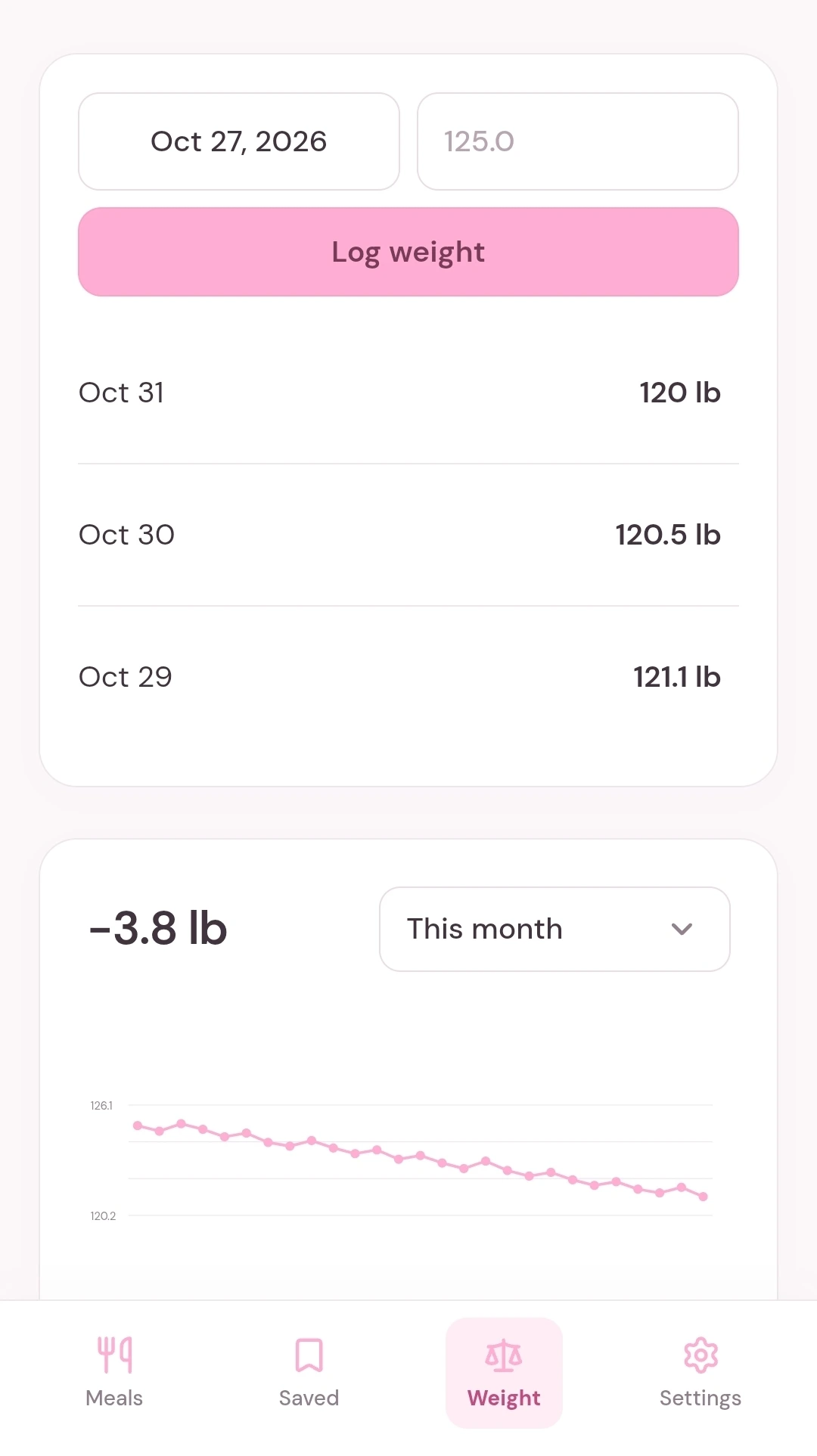
Weight has its own page. Seeing that number first thing can psych me out, so it stays off my daily dashboard. Here I can log a weigh-in and look at the trend when I’m ready, with more attention on progress than a single number.
Color and typography used throughout the app.
Primary, secondary, and disabled button states.
Paste nutrition and select where it belongs.
Reusable food cards and the actions that support faster daily logging.
Daily calories and supporting nutrient totals.
Date picker, navigation, and weight entry.
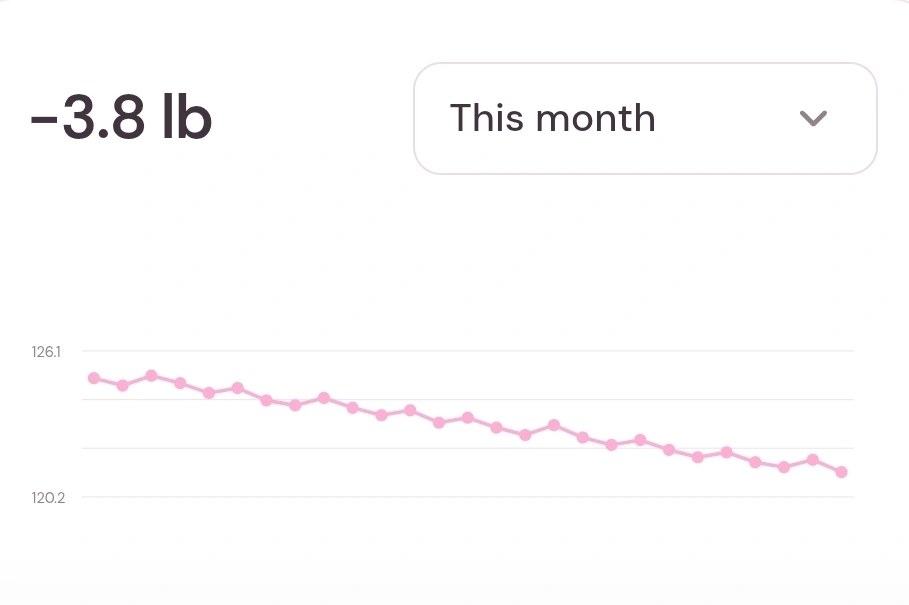
Logging food feels significantly less stressful now. I can reuse my regular meals, keep track of my nutrition, and follow my weight progress without ads or upsells getting in the way. It fits into my day and helps me stay consistent with the habits I’ve worked hard to build.