Getting to the lesson
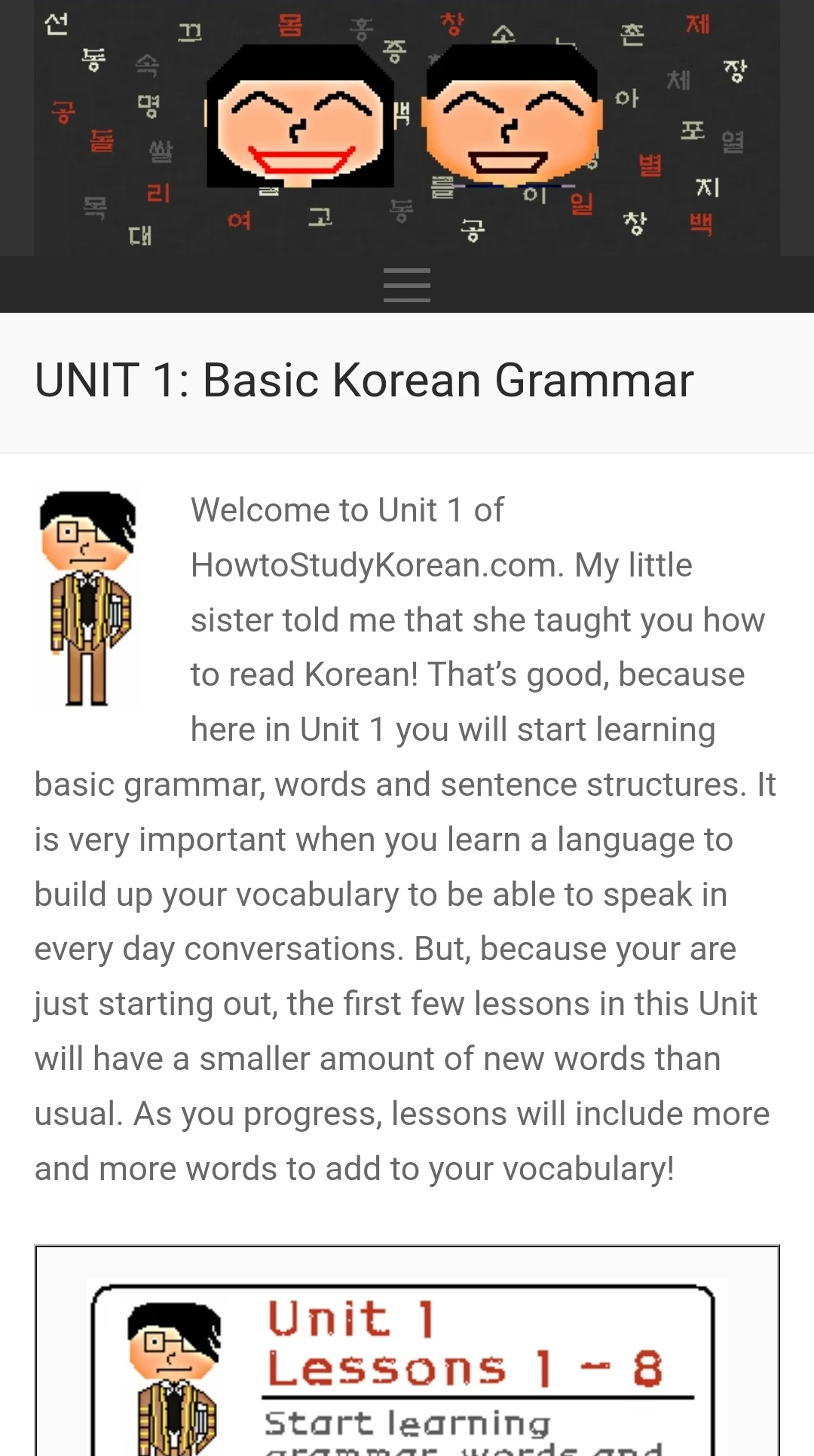
I have to work through introductions and extra information before getting to the grammar I’m looking for.
 Katrina DoneganDesigner & Artist
Content-heavy UX & systems
My personal grammar app for understanding sentence patterns and using them to build my own Korean sentences.
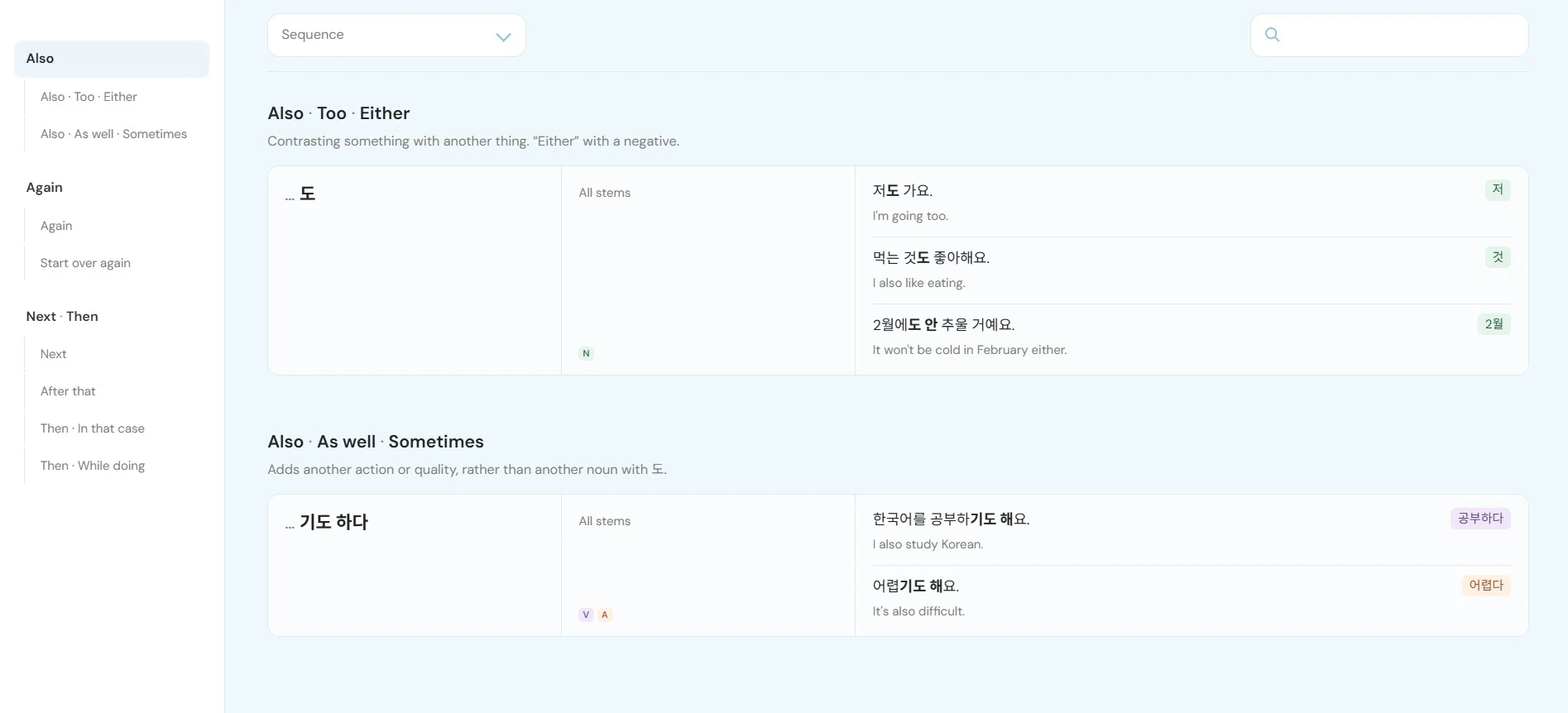
I’m currently studying Korean and it’s one of the hardest languages to learn. The connectors, modifiers, and conjugations give me a lot to think about before I’ve even finished a sentence. I built a grammar reference app around the way I study, with sentence patterns, usage differences, and examples organized together.
Knowing the words doesn’t always mean I can put a sentence together. Resources like How to Study Korean and Korean Wiki Project have useful information, but the clutter and navigation below make it hard to find. I wanted a cleaner way to organize the patterns I encounter, with examples to help me use them.
I have to work through introductions and extra information before getting to the grammar I’m looking for.
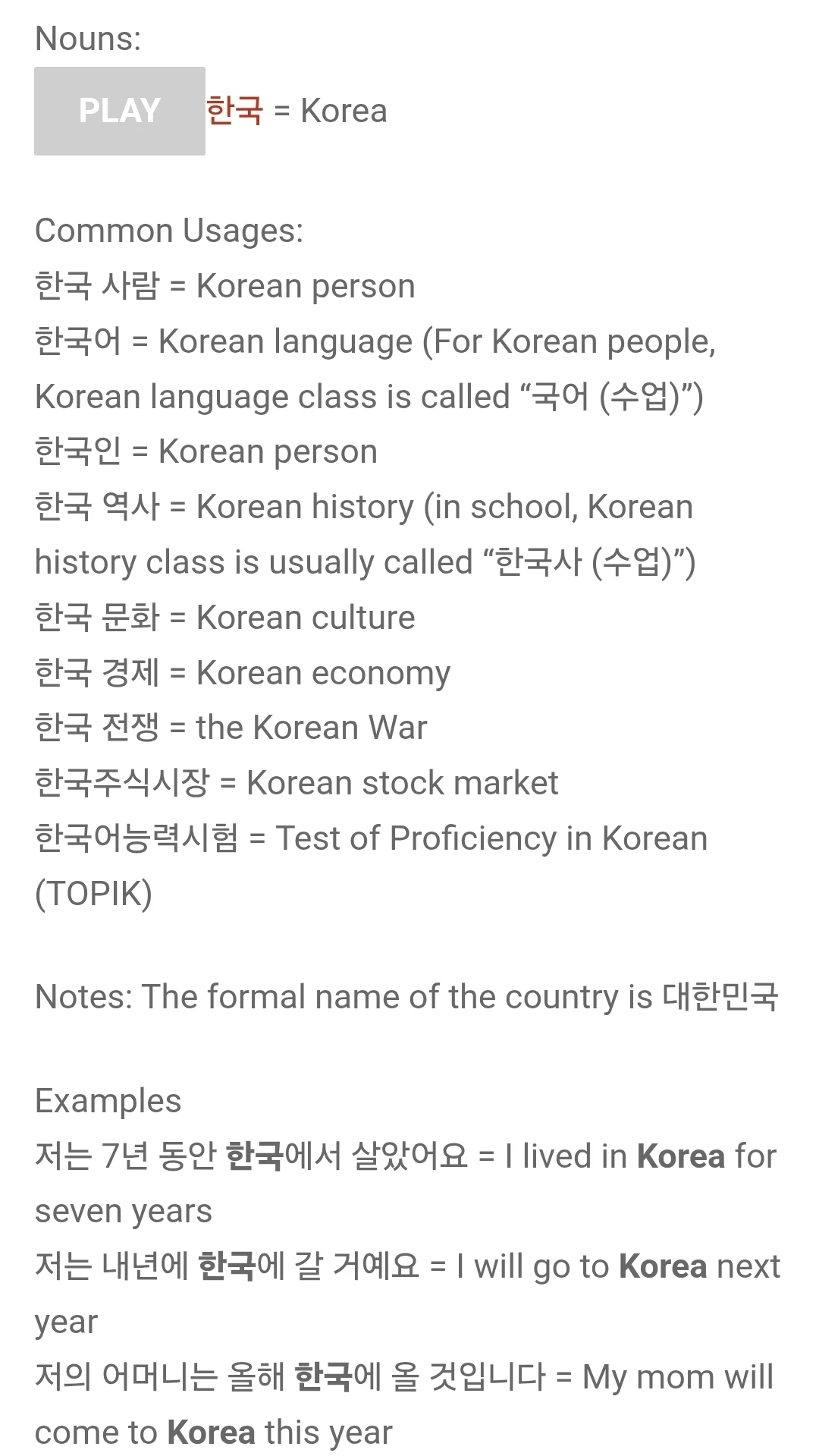
Long blocks of text mix vocabulary, notes, and examples. It’s hard to quickly pick out what matters for my sentence.
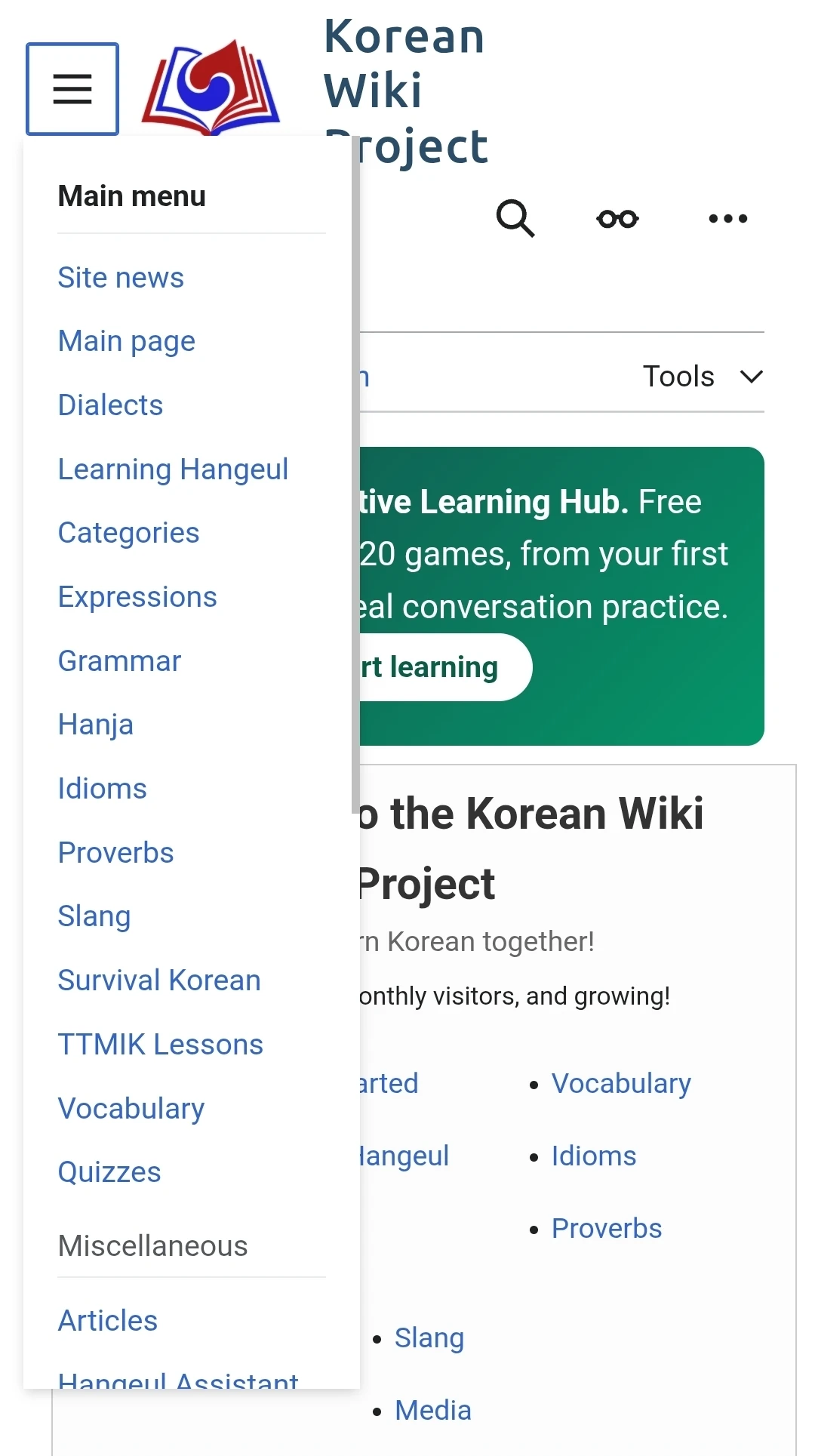
The menu covers a lot of different resources. I want a shorter route to the grammar and related patterns I’m studying.
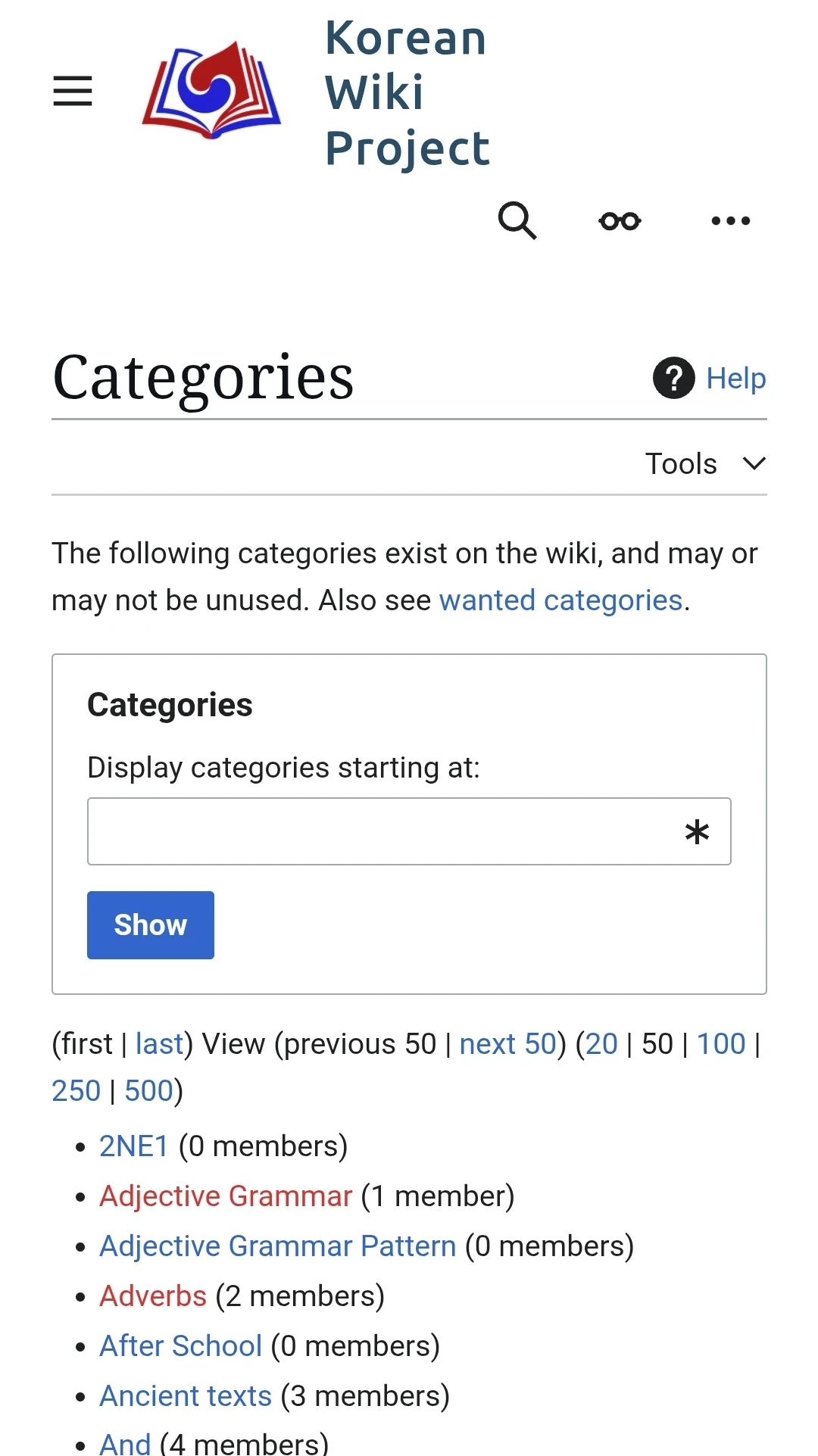
Category tools, pagination, and empty entries make the page feel busy. I’d rather see useful grammar groups right away.
I started by keeping grammar notes in Notion. As I added more patterns, examples, and exceptions, updating the tables and keeping related rules together became a lot of manual work. I wanted to spend more time learning and less time maintaining my notes, with an easier way to search and compare what I’d already collected.
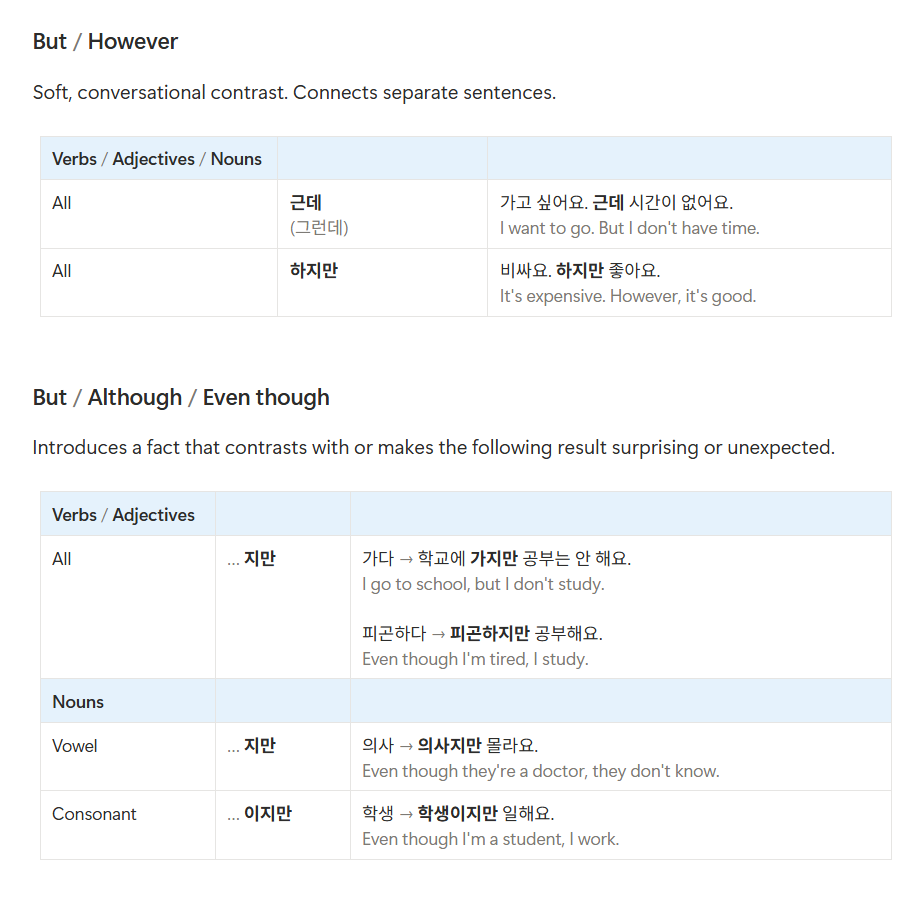
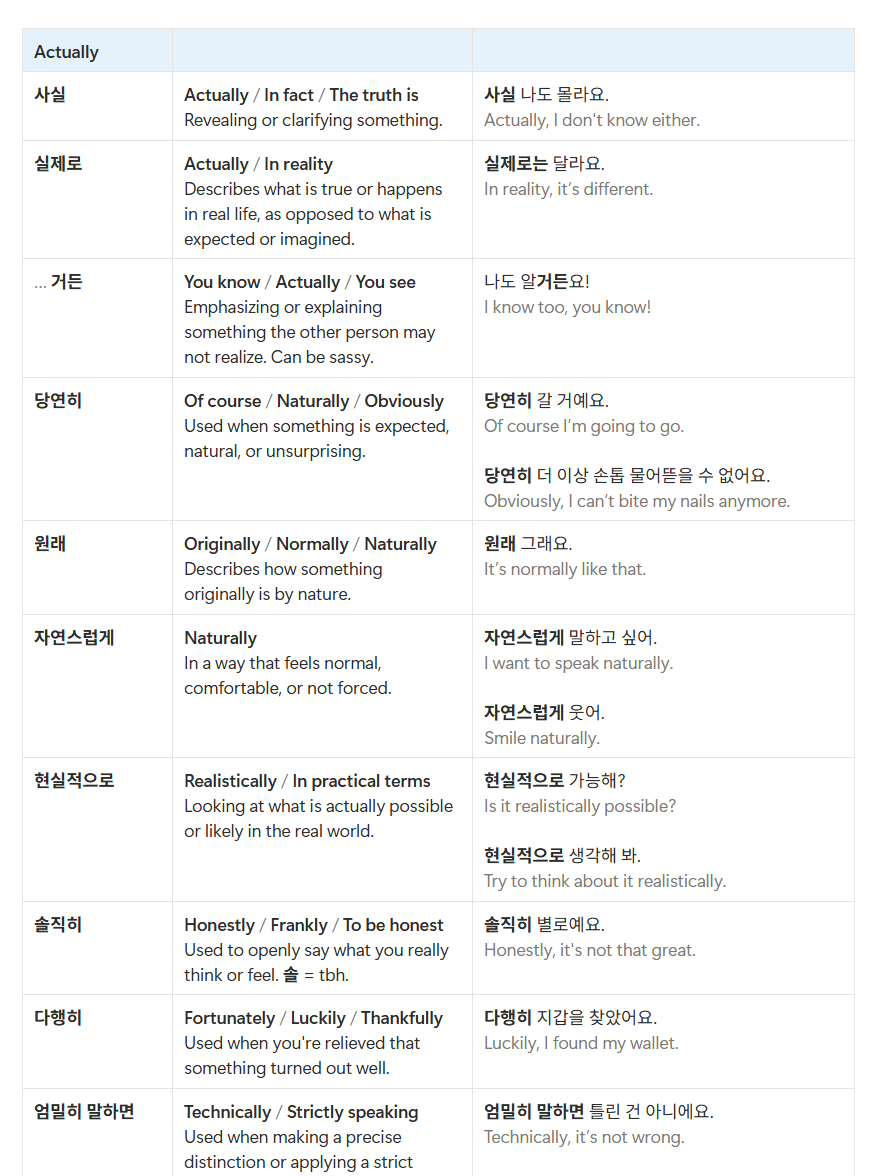
My notes already had the material. The challenge was making them easy to use while I study. I gave ChatGPT specific instructions for the tables, comparisons, and navigation, then worked through the details as I added more grammar.
“Show the grammar form, which stems it works with, and natural examples with English translations. Label whether it applies to verbs, adjectives, or nouns.”
I can check how a pattern works before trying it in my own sentence.
“Put expressions with similar meanings together and explain when I would use each one.”
I can compare the differences instead of treating every English translation as interchangeable.
“Let me browse topics and their subsections together. Add search across the whole app.”
I can jump to the part I need without scrolling through all my notes.
Korean has several ways to say things that translate similarly in English. I want to understand which one fits what I’m actually trying to say.
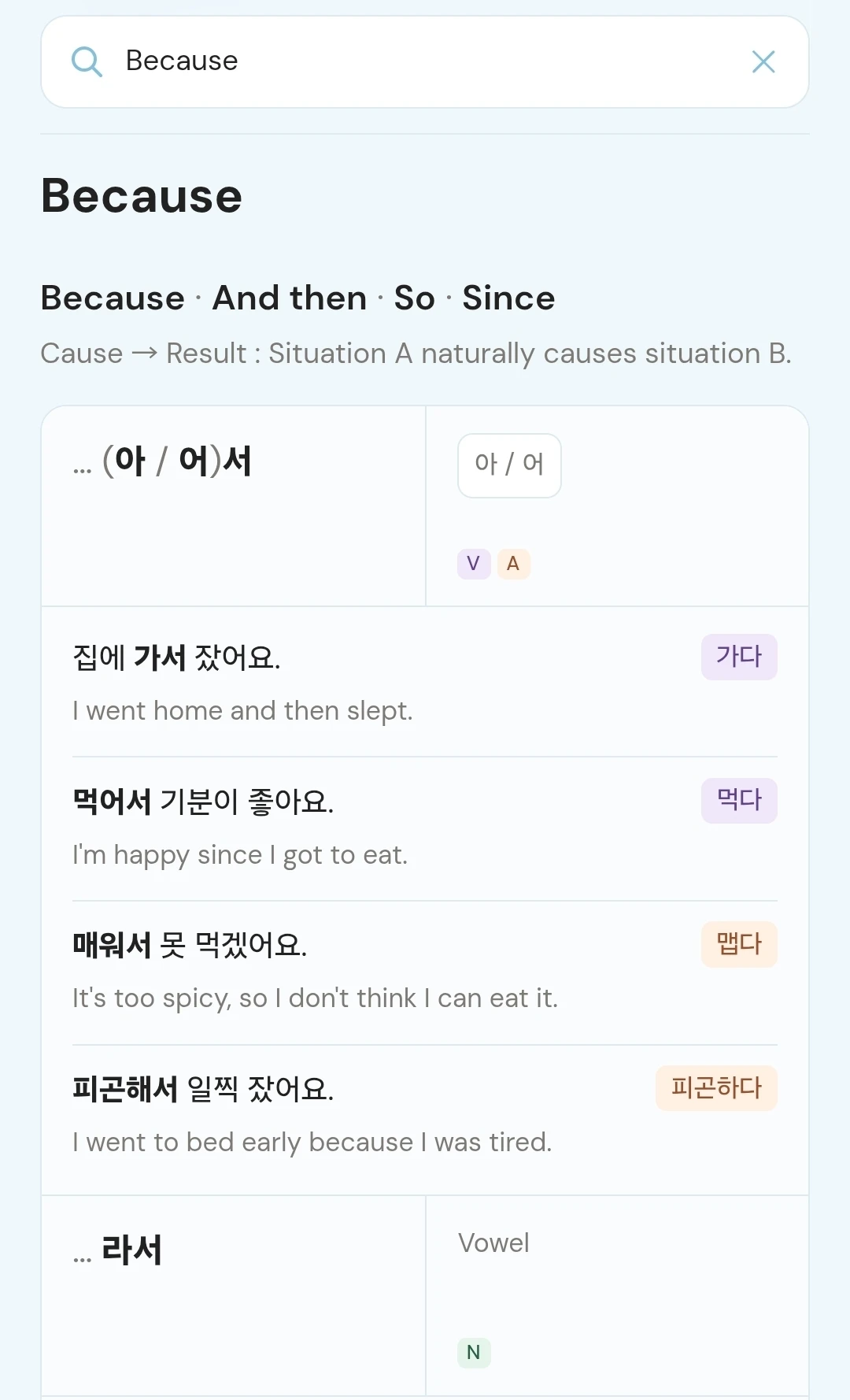
Related patterns sit together with short usage notes, stem rules, and translated examples. Color-coded labels and dictionary forms help me connect the rule to the sentence. I can tap examples to hear them too.
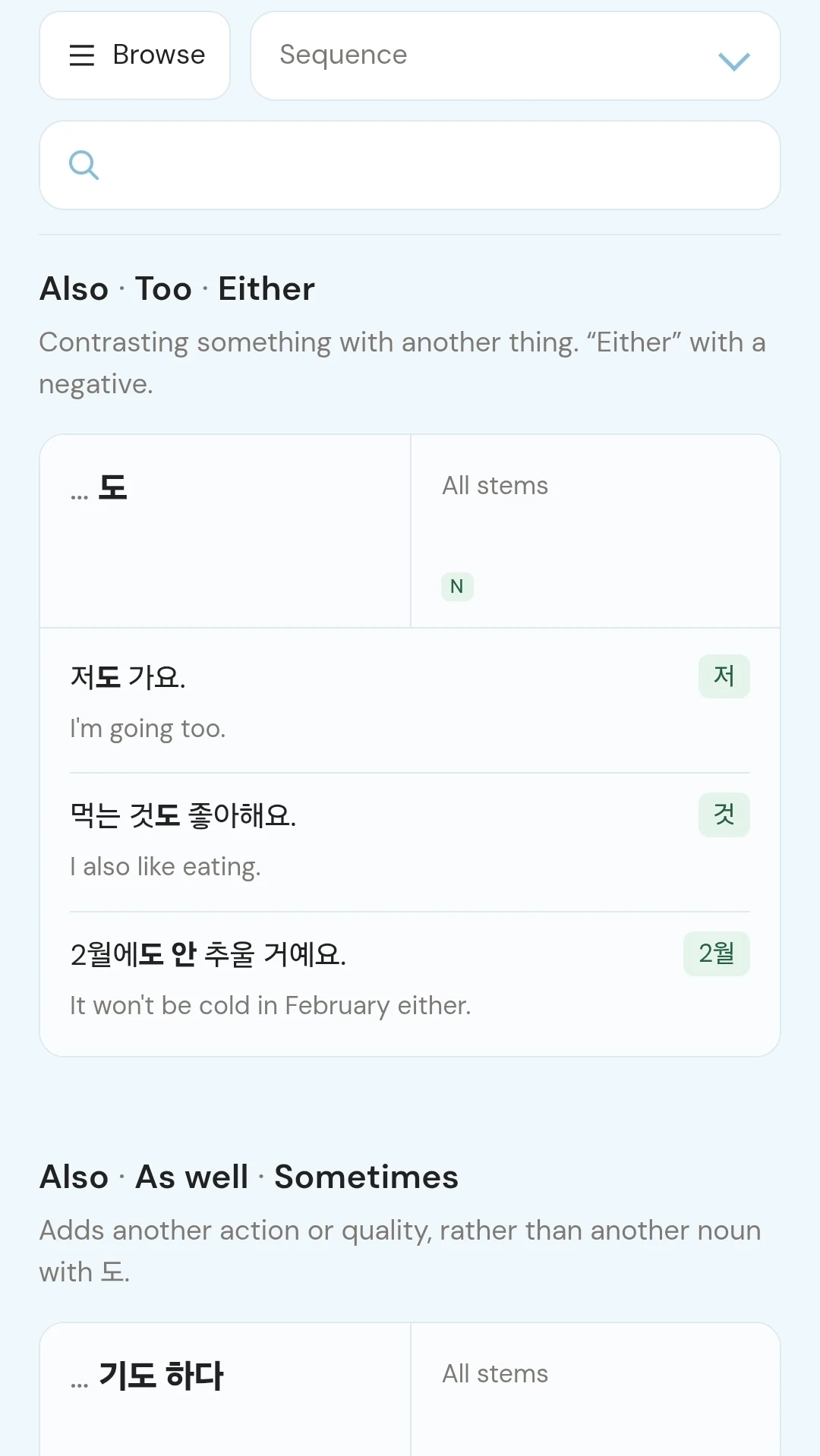
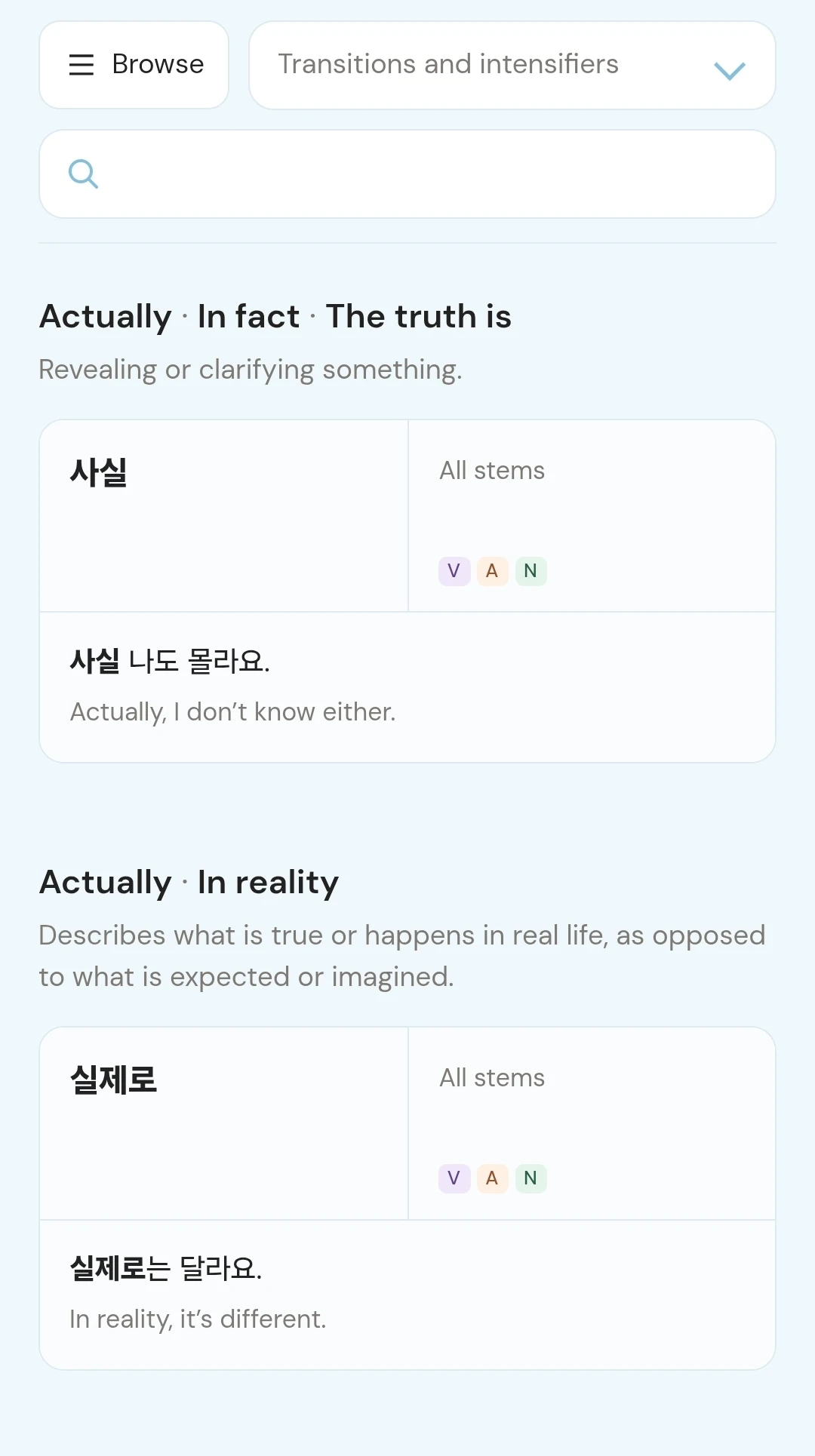
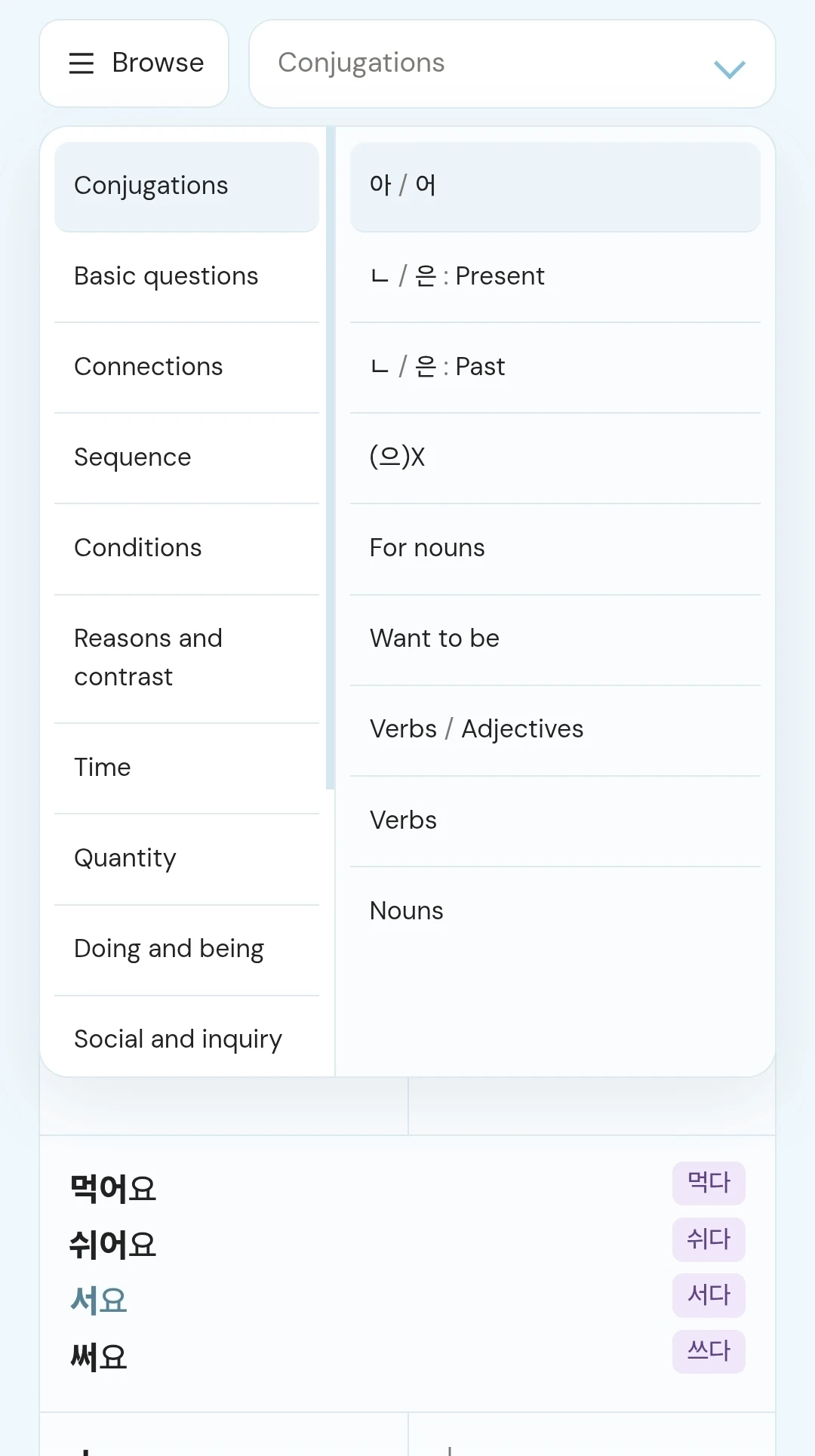
Browse opens topics and their subsections side by side, so I can choose a specific pattern without opening and closing several menus. The current section stays highlighted to help me keep my place.
I don’t always remember the Korean form. Searching for a meaning like “because” brings up the relevant patterns, with stem rules and examples ready to compare.
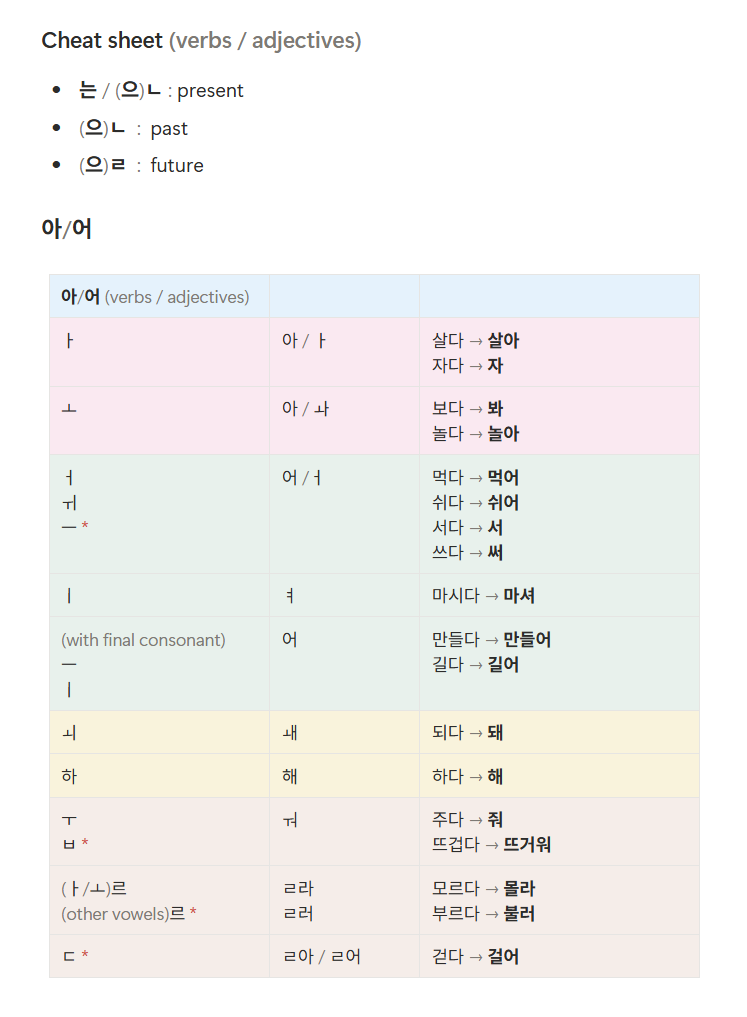
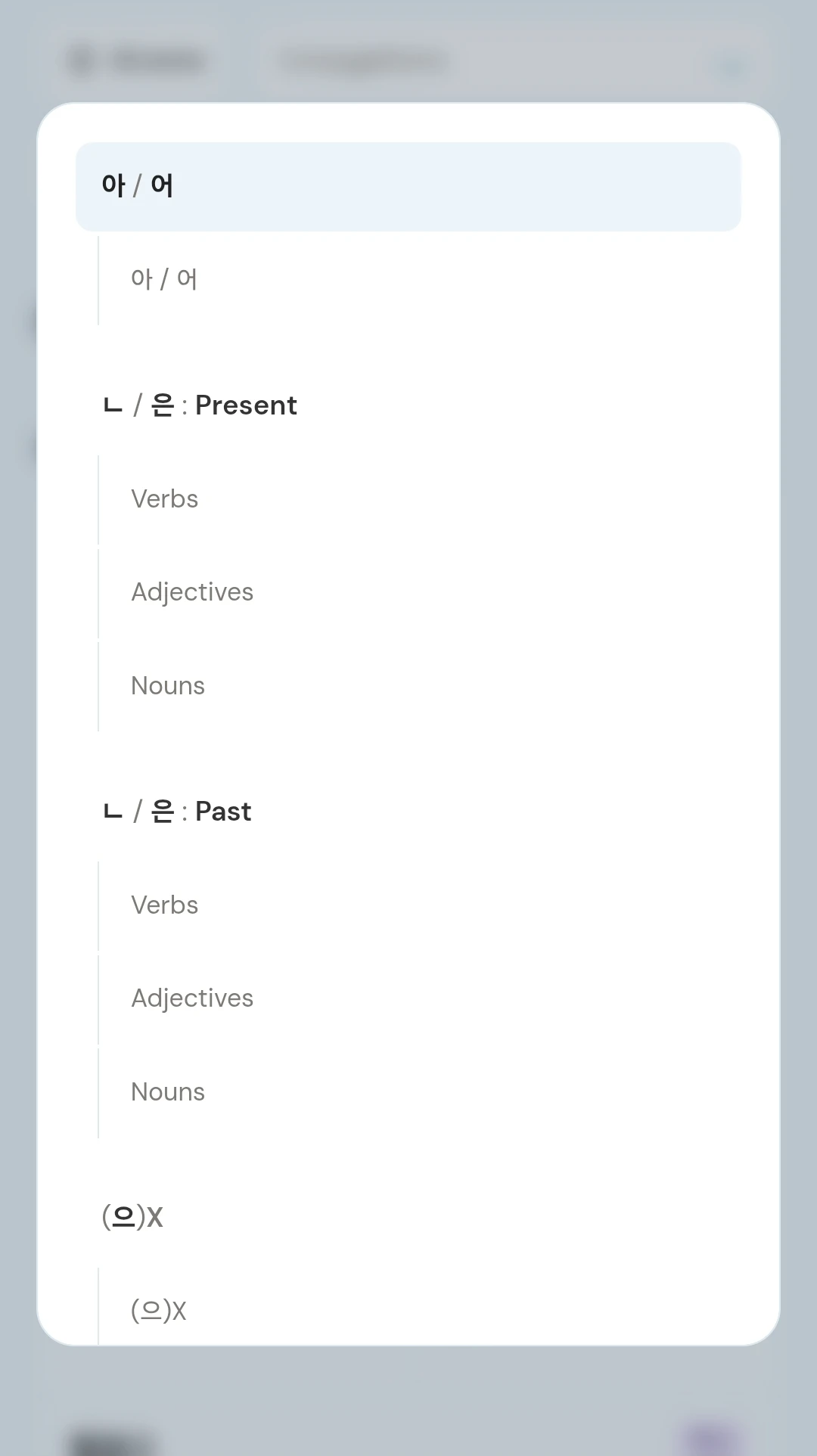
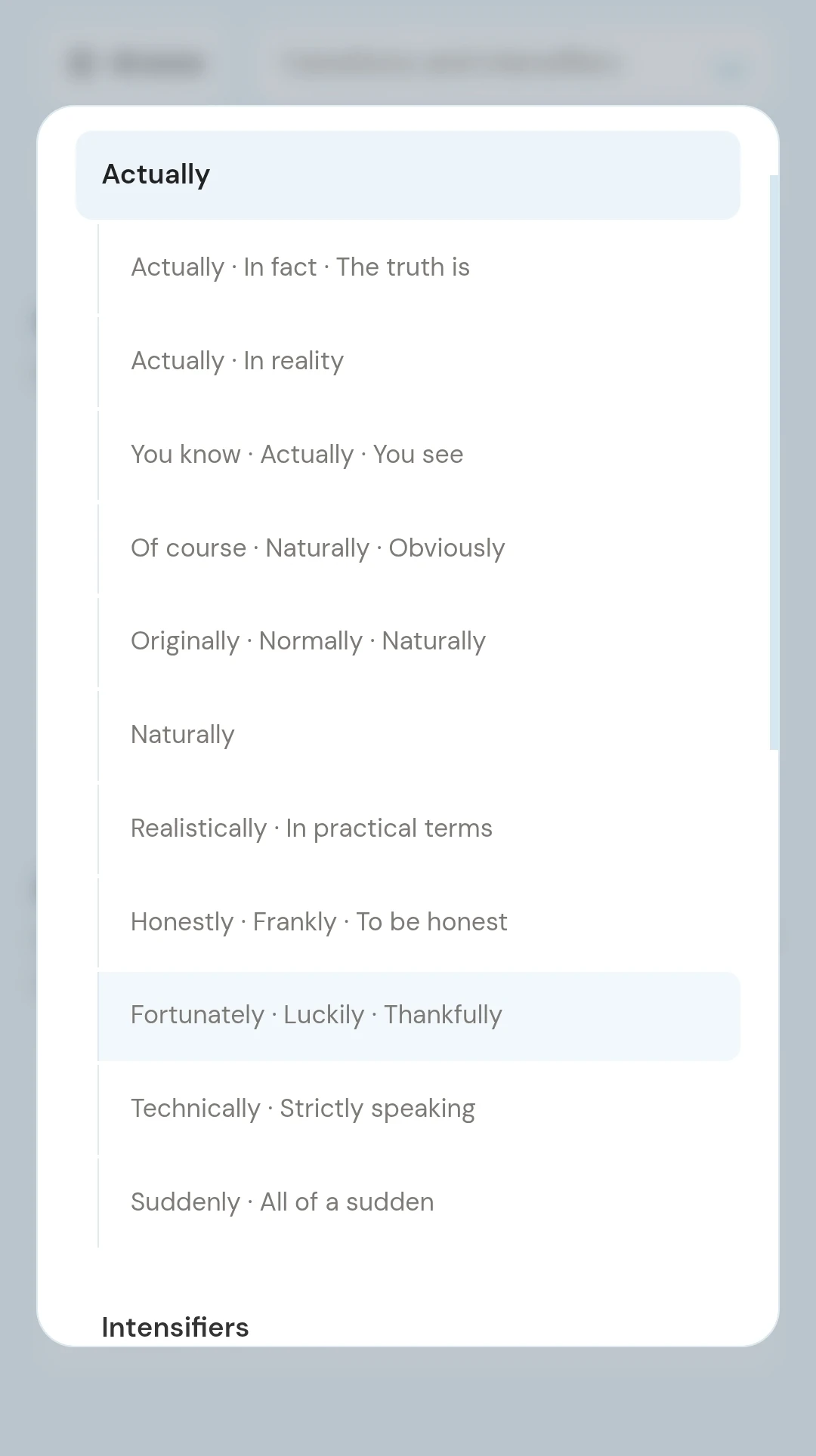
The reference guides open over the page, so I can check conjugation groups or compare similar expressions without leaving what I’m studying. The hierarchy stays consistent even as my notes grow.
Primary color, canvas, borders, and the typography hierarchy.
Word type tags, dictionary forms, and contextual links.
Search for a pattern or browse topics and their sections in one compact group.
Forms, rules, labels, and examples are grouped in one card.
I have a place to check the grammar I’m learning, compare expressions, and get back to what I wanted to say. I’ve kept it organized and nice to look at, with little visual noise so I can focus on what I’m studying. It stays relevant to my lessons and grows as I keep learning.